Four Bugs Deep: Getting SignalRGB to Control ARGB on an MSI Z790
My MSI Z790's ARGB headers ignored SignalRGB completely. Turns out it wasn't one problem. It was four separate problems stacked on top of each other. Here's the full debug story and the checklist so you don't lose a Saturday like I did.
📅 Saturday, Jul 18, 2026
🔄 Saturday, Jul 18, 2026
📖 Reading time: 7 min
Let me tell you about the time I lost an entire Saturday to RGB lighting.
Not to a hard technical problem. Not to broken hardware. To lighting control software. Specifically, getting SignalRGB to drive the ARGB headers on an MSI PRO Z790-P WIFI DDR4. Spoiler: it wasn’t one problem. It was four separate problems stacked on top of each other, each one masking the next. Every time I fixed something, the symptoms stayed identical, which is exactly the kind of thing that makes you question your sanity.
If you’ve got an MSI board, SignalRGB, and headers that refuse to respond, this post is the checklist I wish had existed at 9am.
The setup
- MSI PRO Z790-P WIFI DDR4 (MS-7E06)
- ASUS EKWB RTX 3070 with an ARGB water block
- 2× Lian Li Uni Fan AL120 V2 on the JARGB_V2_1 header
- 4× Corsair Vengeance Pro RGB DIMMs
Everything worked in MSI Mystic Light. But Mystic Light is, to put it kindly, terrible, so I installed SignalRGB. The Corsair RAM lit up immediately. The motherboard showed up as a device. And the ARGB headers? Absolutely nothing. Fans dark, GPU block dark.
Here’s the first thing worth knowing: the RAM working proves nothing about your headers. Corsair RGB RAM is driven over SMBus, completely bypassing the motherboard’s ARGB controller. It’s a different code path. Don’t let it fool you into thinking “the app works, so it must be my wiring.”
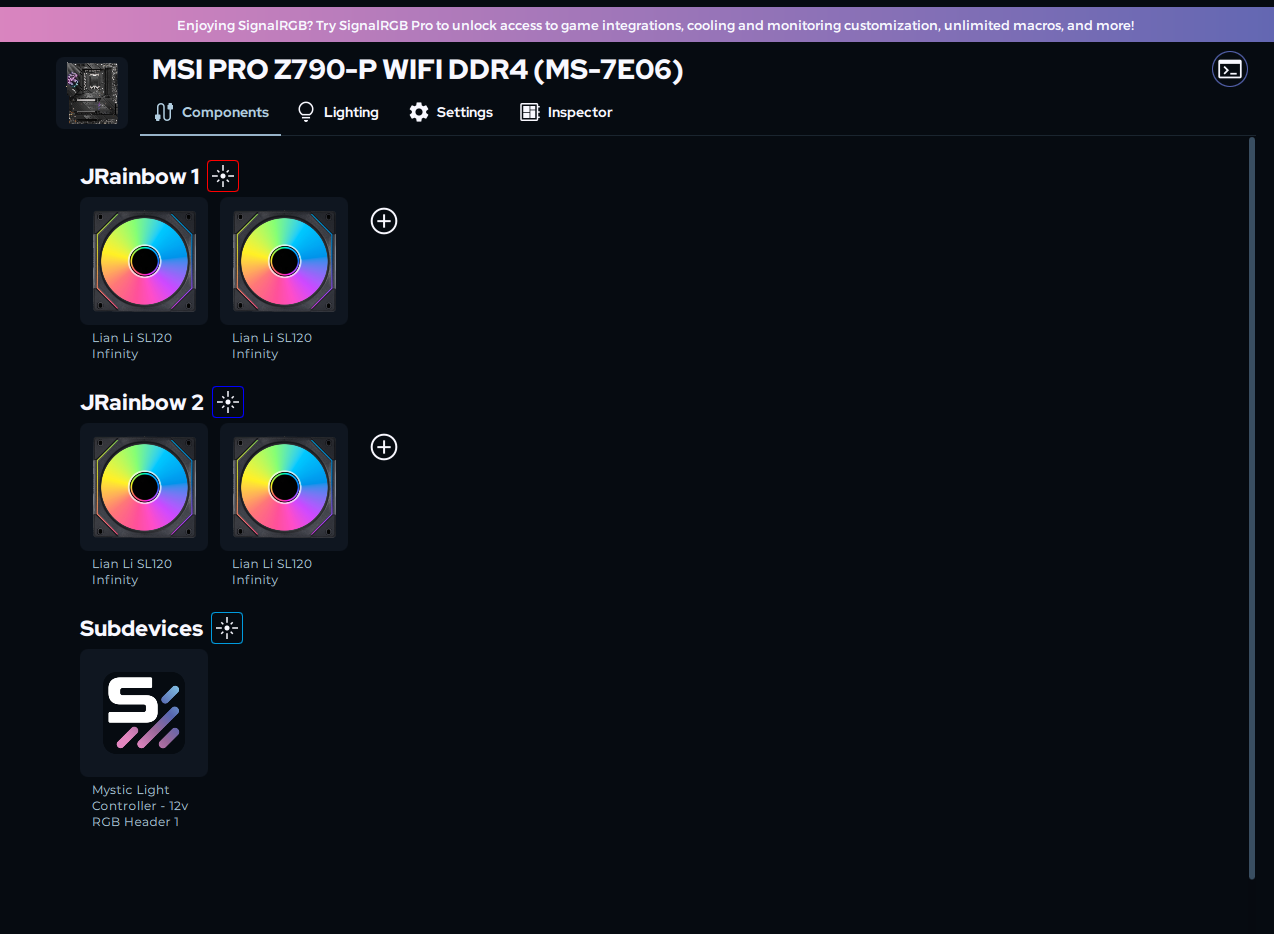
SignalRGB shows the headers — but it has no idea what’s actually connected, and neither did I. Those are the wrong fans (SL120 Infinity instead of my AL120 V2s).
Problem 1: MSI’s software was still holding the controller
Even after switching to SignalRGB, MSI Center / Mystic Light’s SDK keeps its claws in the ARGB controller. Two programs writing to one chip means the loser gets nothing, and SignalRGB was the loser.
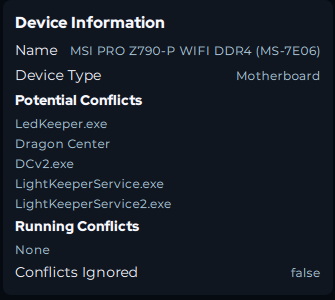
SignalRGB’s Inspector knows exactly who the usual suspects are. ‘Running Conflicts: None’ is what you want to see.
Fix: the official MSI Center Uninstall Tool (search “CleanCenterMaster”) with the Clean option. Not a regular uninstall. The removal tool. Then check the BIOS still has EZ LED Control enabled, because the cleanup can touch it.
Did that. Symptoms: identical. Nothing lit. On to problem two. Except I didn’t know there was a problem two, which is where the day started going sideways.
Problem 2: the ARGB controller was latched (and restarts don’t fix it)
This is the one nobody tells you. MSI’s onboard RGB controller is an embedded chip running on standby power. It does not reset when you restart. It does not reset when you shut down. If software leaves it in a wedged state (and swapping RGB apps is the classic trigger), it stays wedged through every reboot you throw at it.
I knew something was hardware-adjacent when even Mystic Light (reinstalled in desperation) couldn’t light the headers anymore. Same wiring that worked the day before. Nothing at boot, nothing in BIOS, nothing anywhere.
The fix is a full power drain: shut down, flip the PSU switch off, hold the case power button for 30-60 seconds, wait a few minutes, then boot. The standby rail has to actually drain.
I flipped the PSU back on and the lights came up instantly. That moment was equal parts relief and rage.
Diagnostic worth remembering: with EZ LED enabled, your headers should light up at cold boot, before any OS. Lights at boot but not in Windows = software problem. No lights even at boot = latched controller (drain it) or genuinely dead hardware.
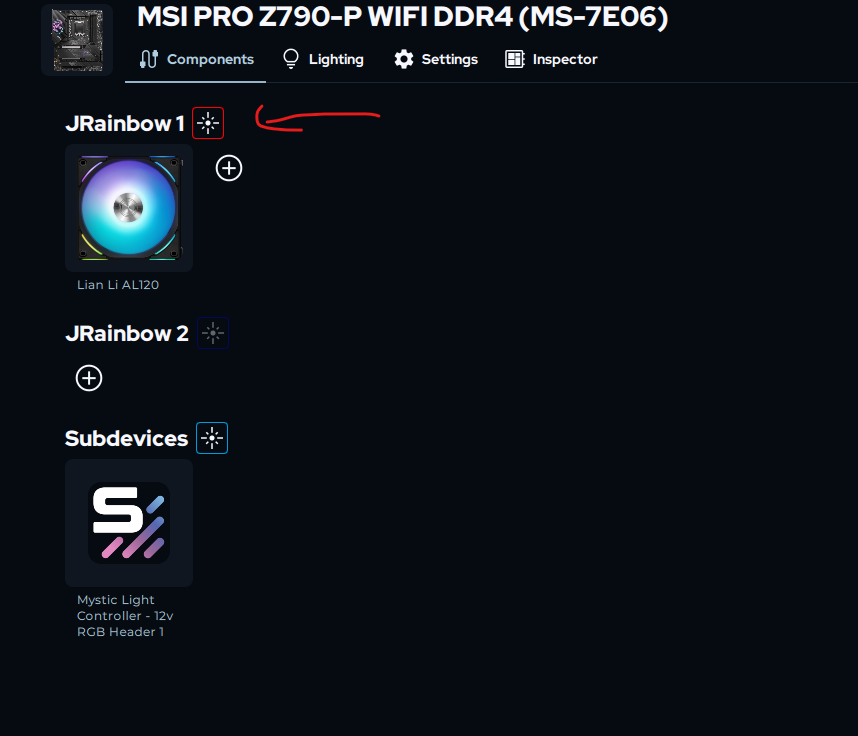
The red icon that sent me down a rabbit hole. It’s not an error — channel 1 pulses red, channel 2 pulses blue. Now you know.
Problem 3: three apps fighting over one chip
With the controller un-wedged I got greedy and tried running SignalRGB’s MSI Bridge alongside Mystic Light. Result: flickering, effects randomly swapping between SignalRGB and Mystic’s last scene, and pulsing one fan lighting up the GPU block on a different header. Chaos.
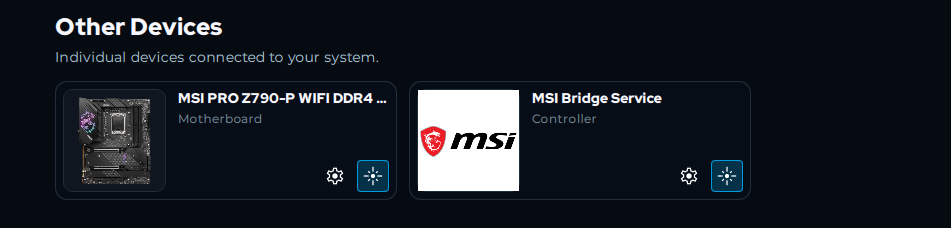
Two control paths to one chip. This screenshot IS the flickering.
The lesson is boring but absolute: one writer per chip. Pick SignalRGB’s direct plugin OR the Mystic Light bridge. Never both, and never with a third path enabled. I ran the MSI cleanup again, disabled the bridge add-on in SignalRGB, and went direct-only.
Symptoms after all that: still nothing on the headers. Clean logs, healthy chip, one writer… dead LEDs. This is the point where a lesser man buys a different motherboard.
Problem 4: the actual villain was Partner Permissions
Here’s the fix that ended it, and it’s buried where you’d never look.
At some point, Mystic Light had offered me a link to install SignalRGB (Install_SignalRgb_Msi.exe, MSI’s co-branded installer). That installer registered my motherboard as partner-controlled inside SignalRGB. And that permission survived everything: the MSI cleanup tool, uninstalling SignalRGB, reinstalling the standard version. Every layer looked healthy. The logs showed the HID device opening, config packets sent, EZ LED confirmed. But SignalRGB was politely declining to drive the board because, as far as it knew, Mystic Light owned it.
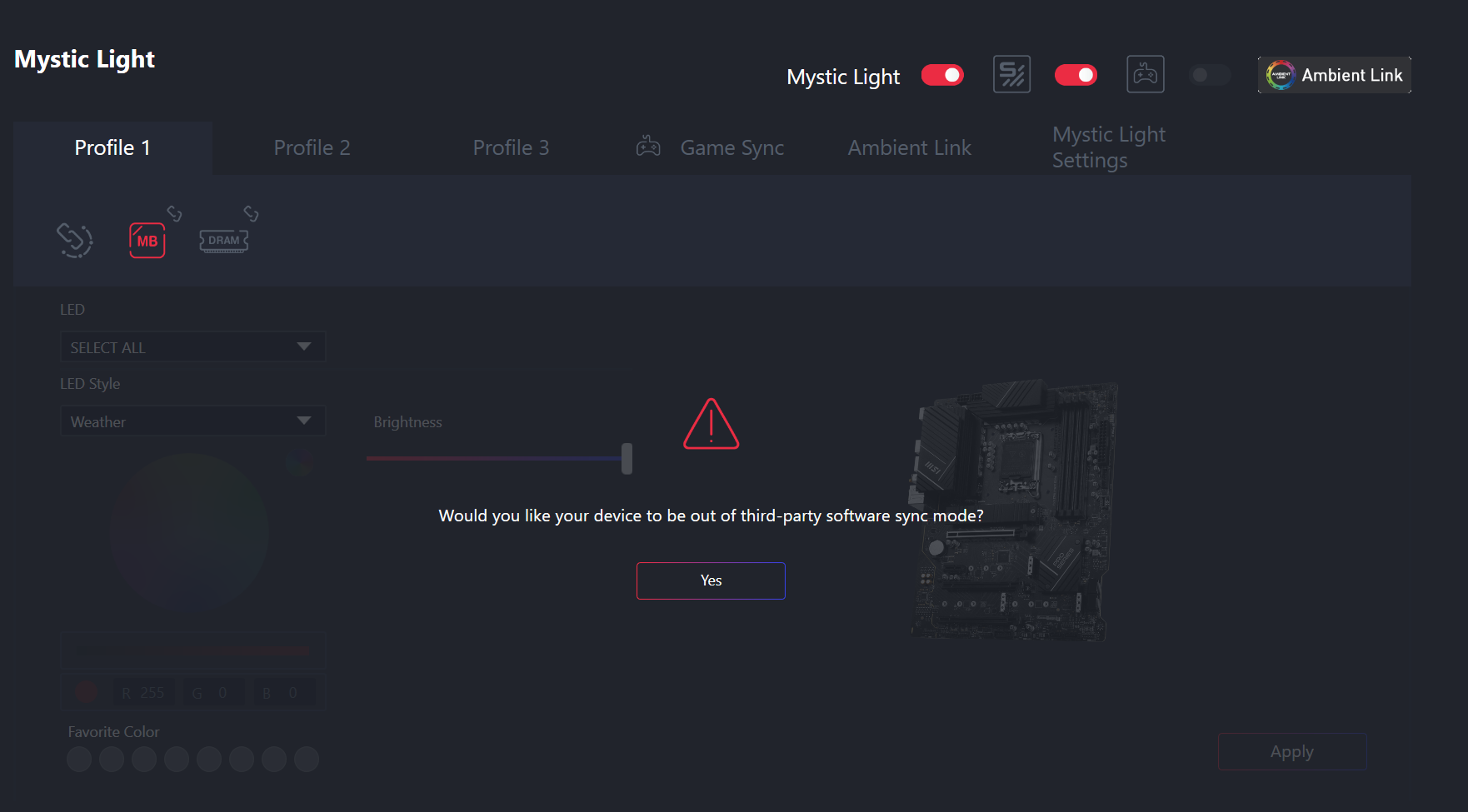
Mystic Light locked out because SignalRGB holds the board. Whatever you do, don’t click Yes — that’s the ’take it all back’ button.
Fix: in SignalRGB go to Devices → your motherboard → Settings → Disable the device. A warning banner appears with a Partner Permissions link. Open it, grant SignalRGB control of the MSI motherboard (and your Lian Li devices, if SignalRGB lists them under partner control too), re-enable the device. Done.
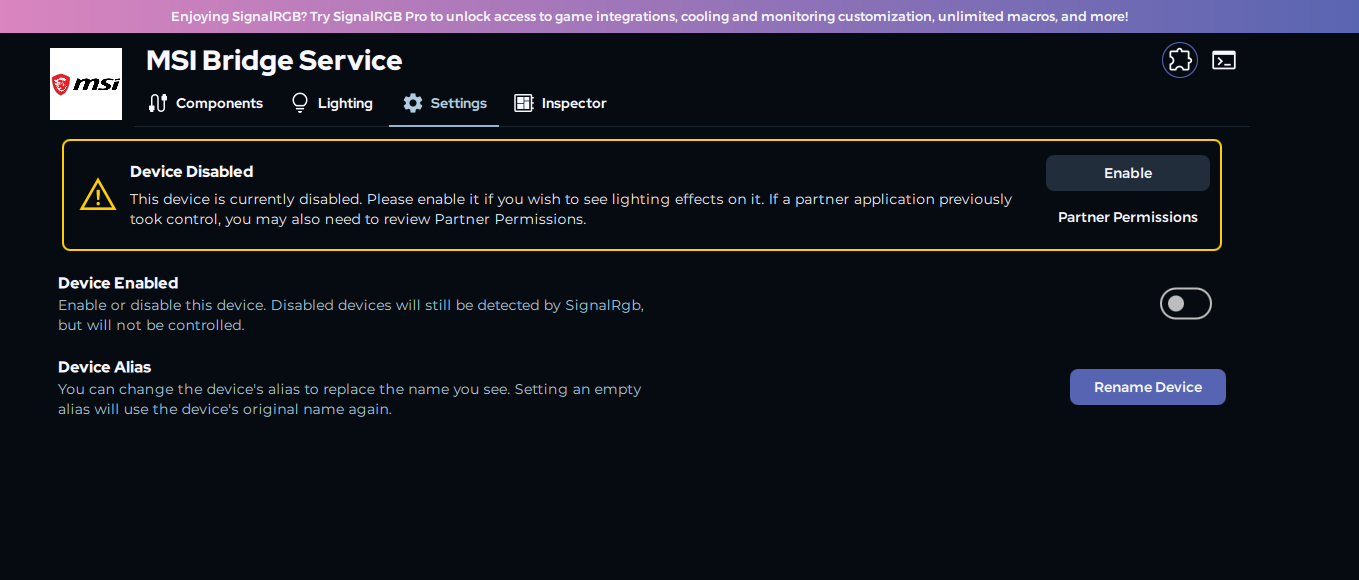
The single most useful banner in SignalRGB, and you only see it by disabling the device. ‘If a partner application previously took control’ — why yes, yes it did.
Fans lit. GPU block lit. Individually addressable, exactly as advertised. The EK block on the 3070 needed a custom 60-LED strip component; the Lian Li fans had proper AL120 entries. Four RAM sticks, two fans, one water block, all dancing in sync.
The checklist (save yourself a Saturday)
If your MSI board’s ARGB headers ignore SignalRGB, run through these in order:
- Kill MSI’s software properly. MSI Center Uninstall Tool, Clean option. Check Task Manager afterwards for
LedKeeper/LightKeeperServiceremnants. - Check EZ LED Control is on in BIOS.
- Power drain. PSU off, hold power button 30-60s. Restarts do nothing, because the controller runs on standby power.
- Cold boot test. Headers should light before the OS loads. If they don’t, repeat step 3 before blaming anything else.
- One writer only. Direct plugin or bridge, never both. Disable the MSI Bridge add-on if you’re going direct.
- Partner Permissions. Device Settings → Disable → Partner Permissions link → grant SignalRGB control of the motherboard (and your Lian Li devices) → re-enable. Especially if you ever installed SignalRGB via a link inside Mystic Light.
- Configure your components. SignalRGB can’t detect what’s on each header, so add each fan/strip/block per channel, in physical chain order, with correct LED counts. Use the SRGBmods component generator for anything unlisted.
- Test with Forced Colour (device Lighting tab). It bypasses effects and canvas entirely, so it’s the definitive “is anything reaching the header” test.
- Still dead? BIOS update (MSI ships LED controller firmware inside BIOS updates), and after that, a dedicated ARGB controller (~$30-40) that bypasses the motherboard headers entirely. Honestly the option I’d consider from the start next time.
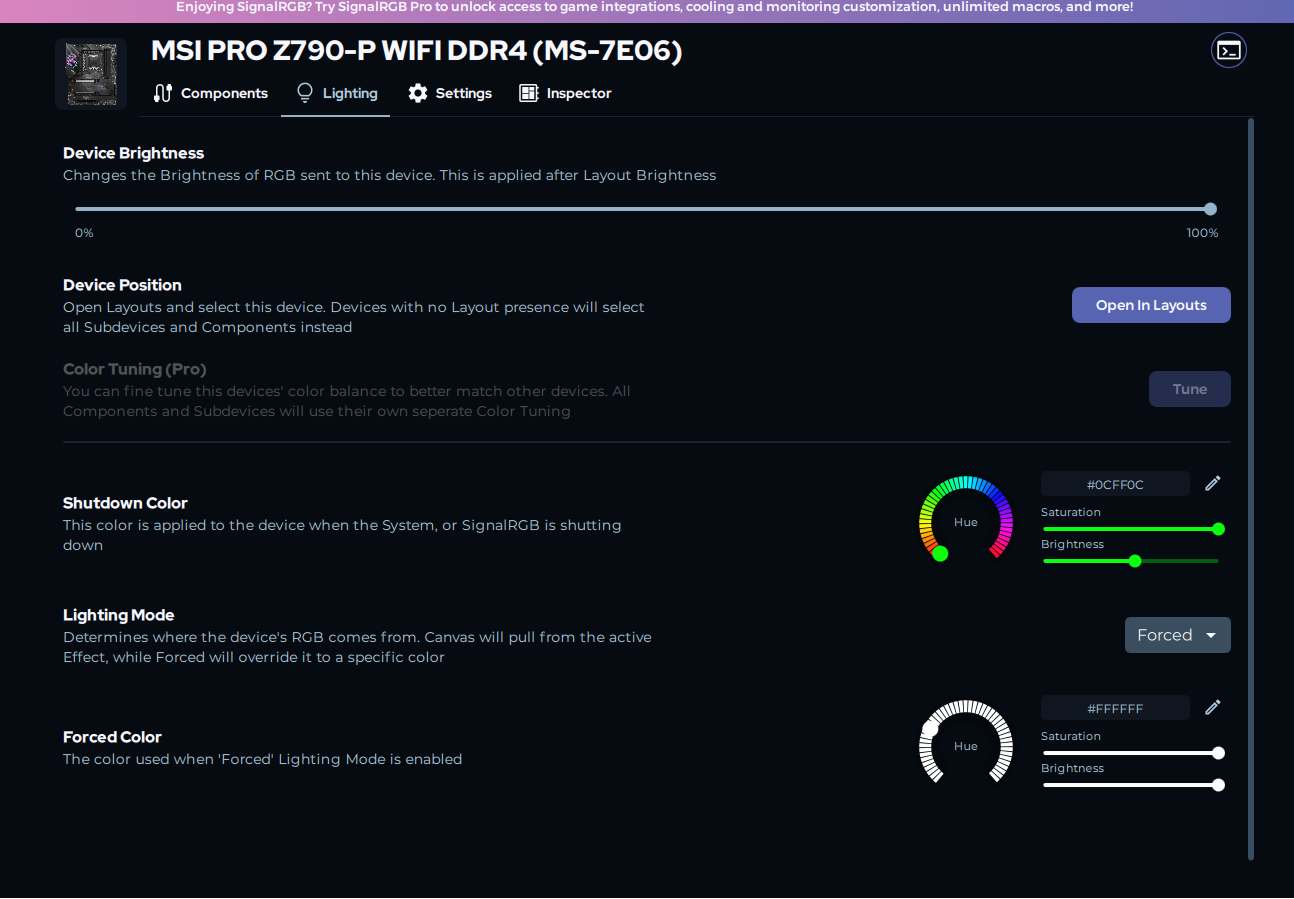
The definitive test: Forced mode, white, 100% brightness. Bypasses effects, layouts and canvas — if this doesn’t light your headers, config isn’t your problem.
Bonus symptom: if the Components tab disappears entirely from the motherboard device, check Partner Permissions first, then update your BIOS — MSI ships LED controller firmware inside BIOS updates.
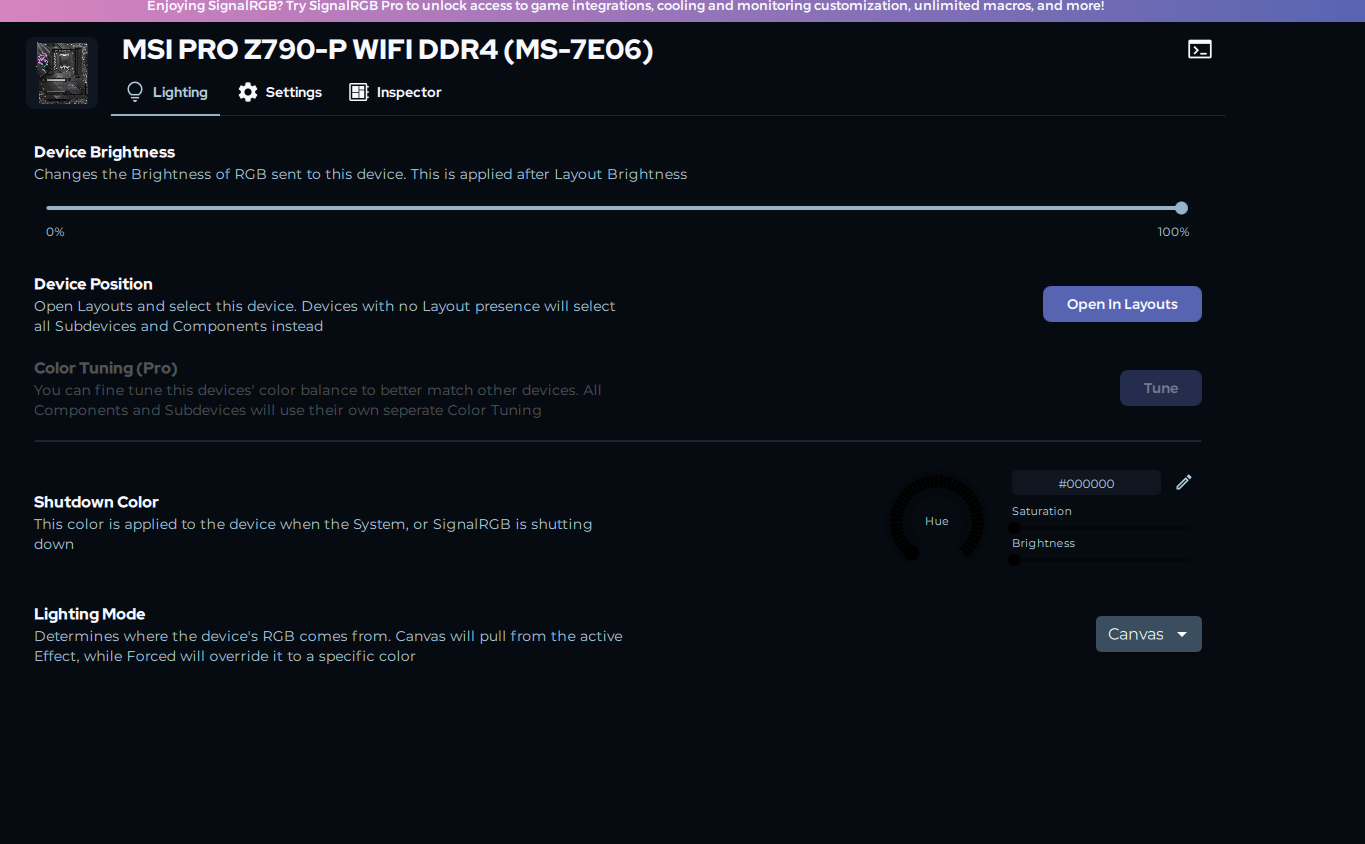
When the Components tab simply doesn’t exist. Not a rendering bug — the plugin couldn’t read the controller’s capabilities.
A few facts that would have saved me hours
- A clean SignalRGB log proves nothing about your LEDs. ARGB is one-way, so the software writes blind and never learns whether anything lit up.
- Mystic Light saves effects to the controller’s flash memory. Seeing your old Mystic scene at boot forever is normal, not a sign it’s still installed.
- The pulse-test colours are channel IDs: channel 1 pulses red, channel 2 blue. I spent a stupid amount of time thinking the red icon meant an error.
- “It worked in Mystic Light” doesn’t mean the hardware path works for SignalRGB. Mystic writes stored effects, SignalRGB streams per-LED frames in real time, and MSI’s controller treats those very differently.
RGB control on PC is a genuinely hostile ecosystem: vendor lock-in, permission handshakes nobody documents, and embedded controllers that hold grudges through reboots. But it does work at the end. Four bugs deep, but it works.
If this saved your Saturday, buy me a coffee. I clearly needed several.
References
- SignalRGB MSI troubleshooting guide
- Configuring RGB controllers and components
- MSI Center Uninstall Tool (CleanCenterMaster)
- SRGBmods custom component generator
- SignalRGB forum: MSI motherboard not supported after 2.4.37 update